 Life
11 Gaming Highlights: From Retro Hardware to Indie Releases and Charity Support
Life
11 Gaming Highlights: From Retro Hardware to Indie Releases and Charity Support
Computing
DOOM now runs in Microsoft Paint — Azure's CTO built it on the Windows clipboard
Mark Russinovich's DoomPaint renders id Software's 1993 shooter inside the drawing app, with Paint acting as nothing more than a very slow screen.
- Author
Gadgion
- Published
- Filed under
- Computing
The Azure CTO's downtime experiment
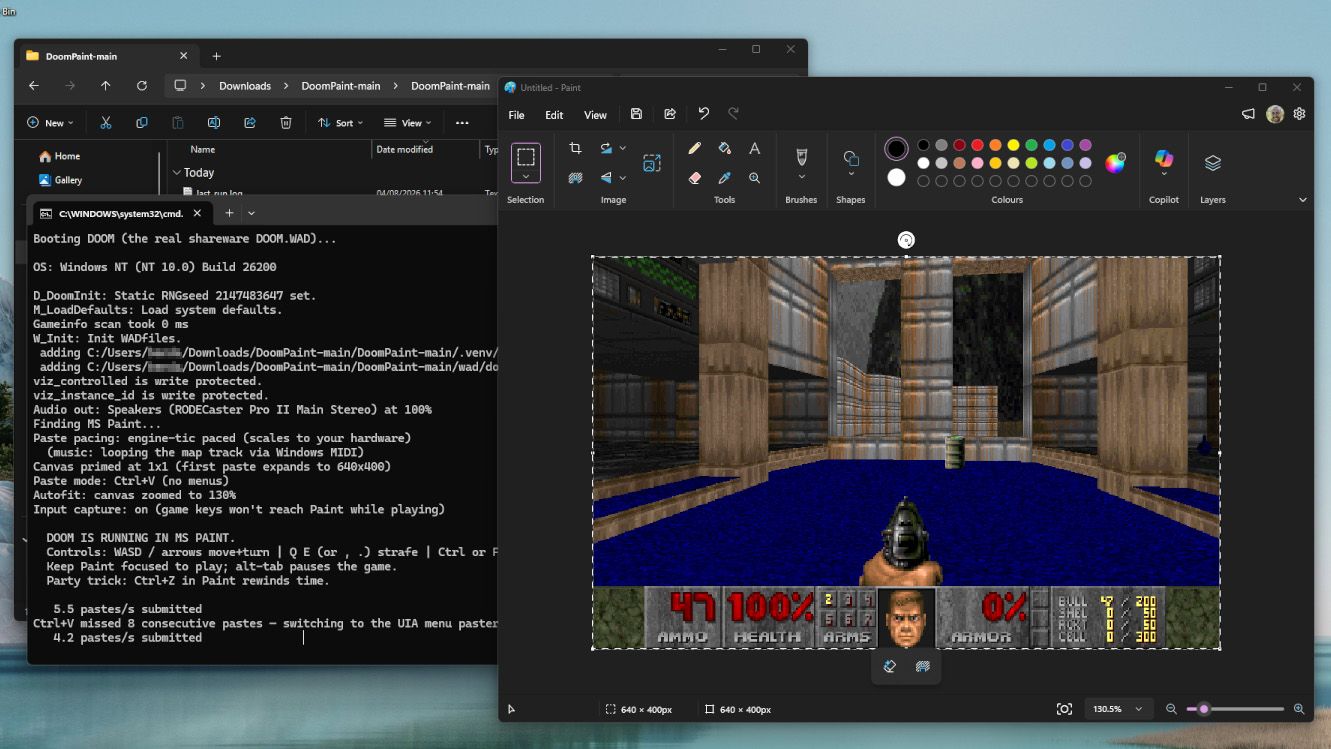
The chief technology officer of Microsoft Azure spent part of his downtime making DOOM run inside Microsoft Paint. Mark Russinovich's DoomPaint, documented on GitHub, renders id Software's 1993 classic first-person shooter inside the bitmap editor, and the game runs — with working sound and music, no less. Russinovich appears to be a genuine fan of the original DOOM, and the project continues a long line of attempts to get the game running on improbable hardware. It's the kind of downtime project that reveals how a Microsoft executive's interests line up: retro boomer shooters, classic Windows applications, and the kind of technical constraint puzzle that makes a drawing app behave like a screen. Installing it is as simple as having Python available, though the experience is best appreciated from a distance rather than as a serious way to play through the game. For anyone who has spent hours replaying the classics with modern source ports, this is a different kind of replay — one that strips away convenience and leaves the game crawling across a drawing app's canvas.
Clipboard as graphics pipeline
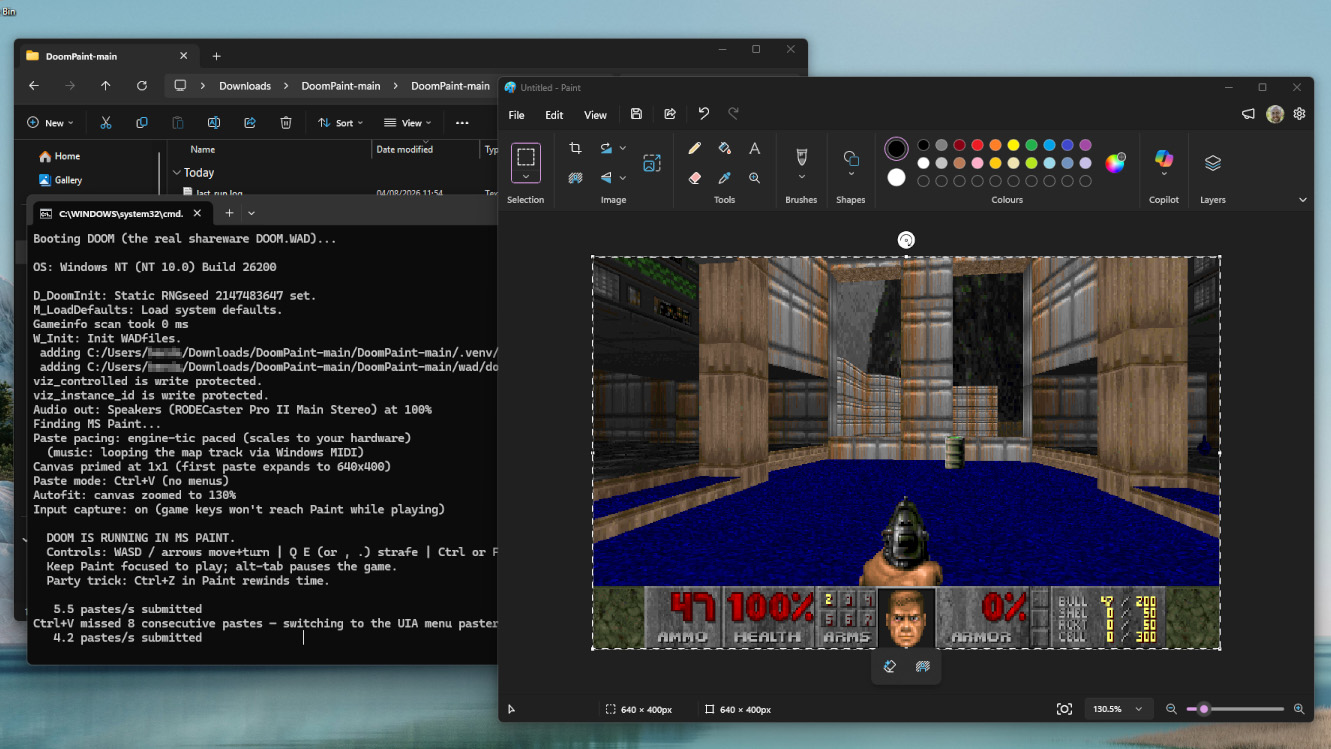
Every frame is placed on the Windows clipboard and pasted into Paint's canvas as a genuine document edit, Russinovich explains in the GitHub documentation for DoomPaint. The game logic is computed elsewhere — in the Python script that users run — and Paint is acting more like a monitor than an engine. This is a visual trick rather than an engine conversion, and the distinction is essential: Paint displays the image, but it's not rendering the 3D scene or running the game's logic. The clipboard becomes the pipeline through which each rendered frame travels on its way to the canvas, which means the experience of watching DOOM play inside Paint is really the experience of watching the game's frames arrive one by one through Windows' own data-transfer mechanism. For a project that even has audio, the plumbing is remarkably simple — Python computes, the clipboard transports, and Paint presents.
The performance is the punchline
The performance ranges from quite smooth to a snail's pace, and Russinovich embraces the low end of that spectrum, calling the spreadsheet-tier framerate part of the charm. Nobody is likely to beat the entire game this way, and the novelty of watching the frames crawl across the canvas is precisely the point. The sheer absurdity of the setup, with the clipboard acting as a video cable, is what makes the project worth a look. It's a deeply Microsoft-flavored sense of humor: the company's own CTO taking one of its most basic bundled applications and turning it into a slow-motion display for a game that has already run on practically every piece of hardware with a screen and buttons.
Assembled with AI, documented on GitHub
The contributors section of DoomPaint shows generous commits from Anthropic's Claude and Microsoft's GitHub Copilot, making this a thoroughly vibe-coded project — assembled with heavy assistance from AI coding tools rather than hand-written line by line. The result is a crossover that appeals to a particular kind of enthusiast, with the icing on the cake being the identity of the creator — a Microsoft executive spending his off-hours on a Paint-based game renderer. Ben Wilson, senior editor at Windows Central, covered the project hands-on, installing it on his own PC to confirm it works. Russinovich's documentation on GitHub walks through the rest, and the repository serves as both documentation and demonstration, showing exactly how the clipboard trick is executed.
A new stop on DOOM's world tour
DOOM has run on just about anything with a screen and input of some kind in the three decades since it launched. Source ports like UZDoom offer modern ways to replay the classics, but the .WAD file remains the core of any DOOM variant — securing a legitimate copy unlocks the complete selection of levels and weapons, and projects like DoomPaint depend on it. The idea that someone might start their DOOM experience in 2026 through Microsoft Paint is one of the strangest onboarding paths imaginable. What makes it work is the same thing that makes any DOOM port compelling: the game's engine and level data are so portable that they can be pushed through nearly any pipeline, even one that routes every frame through the Windows clipboard. Russinovich has added a new entry to that tradition, and it's a delightfully absurd one.
Keep going
Life
11 Gaming Highlights: From Retro Hardware to Indie Releases and Charity Support
 Apple
Apple Bends Its Clipboard Wall — But Only in Europe, and Only After Microsoft Pushed
Apple
Apple Bends Its Clipboard Wall — But Only in Europe, and Only After Microsoft Pushed
 Apple
iPhone-to-Windows copy-paste is coming — but only in the EU
Apple
iPhone-to-Windows copy-paste is coming — but only in the EU